Workflow vs Process: Differences, Examples, and What to Improve First
November 18, 2026
A business process connects work to a business outcome. A workflow describes how tasks and decisions move a particular item toward that outcome. One process may contain several workflows, each handling a specific part of the work.
The terms can overlap in everyday use and in software products. The useful step is to agree on the boundary: are you improving one route for a request, or the wider set of activities needed to deliver the result? This guide uses a purchasing example to make that distinction practical.
Table of Contents
Workflow vs Process at a Glance
| Question | Workflow | Business process |
|---|---|---|
| What does it describe? | The route of tasks, decisions, and handoffs for an item | The coordinated work needed to achieve an agreed outcome |
| What defines its boundary? | A trigger and a completion condition for that route | The start and end of the wider business result |
| What needs ownership? | Assignments, transitions, exceptions, and completion | The overall outcome, policy, dependencies, and performance |
| What can be measured? | Task waiting, route completion, returns, and rework | End-to-end time, outcome quality, cost, and delivery against the objective |
| How do they relate? | May perform one part of a process or connect several activities | May rely on multiple workflows and supporting work |
These are working definitions for discussing scope, rather than a rule that every organization uses the labels identically. When a team says “our process is slow,” ask where the delay begins and what result they are waiting for.
What Is a Workflow?
A workflow specifies the activities and decisions through which work moves. It can include a sequence, branches, concurrent reviews, returns, and exceptions. A workflow can be manual, automated, or a combination of the two.
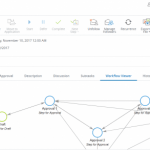
For example, a purchase-request approval workflow begins when a complete request is submitted. It assigns reviews, records decisions, and reaches an approved, rejected, withdrawn, or returned outcome according to the rules.
The workflow should make the next action clear. People need to know who is responsible, which information they should use, and what their decision will cause. A diagram helps communicate the route, while the operating rules explain how it behaves.
What Is a Business Process?
A business process brings together activities, responsibilities, information, and controls to deliver a defined result. The result sets the scope: an approved request may be one intermediate outcome inside a broader purchasing process.
For this example, define the purchasing process as work from an identified business need through ordering, receipt, and payment. The organization must coordinate the request, supplier checks, order, delivery records, and invoice. Completing only the approval does not complete that chosen end-to-end scope.
Business process management examines how that wider work is designed, executed, measured, and improved. A useful discussion connects each workflow with the outcome it supports.
One Process Can Contain Several Workflows
Illustrative example: a company needs to buy equipment. The purchasing process in this example contains several connected workflows:
- Request approval: a requester describes the need and the required roles review it.
- Supplier onboarding: the responsible team collects and checks the information required to work with a new supplier.
- Order preparation: an authorized person prepares and releases the purchase order using the approved information.
- Receipt and issue handling: the receiving team records what arrived and resolves discrepancies.
- Invoice review and payment: the responsible roles check the invoice and complete the payment route under the organization’s policy.
Each workflow has a narrower start and finish. The wider process needs consistent identifiers and clear handoffs between them. If the approved request, order, receipt, and invoice cannot be reliably connected, the process may remain difficult to control even when each workflow works in isolation.
A single team can own one workflow while a broader process owner coordinates the overall result. Make the responsibility for boundary problems explicit, especially when no individual team can resolve them alone.
Decide What to Improve First
Follow a representative item through the work before choosing a solution. Ask which event starts the delay, who can act on it, and what evidence shows the item is complete.
| Observed symptom | What to inspect |
|---|---|
| Complete requests wait at one handoff | Assignment rules, role availability, queue ownership, and escalation in the workflow |
| Requests repeatedly return for missing information | Intake requirements, validation, and how the requester is told what to provide |
| Approved requests still produce the wrong business result | The process objective, decision criteria, downstream requirements, and outcome checks |
| Every team finishes its task, but the overall case remains open | Interfaces between workflows, shared identifiers, and the end-to-end completion rule |
| Several departments dispute who can decide an exception | Authority, process ownership, and the escalation policy across boundaries |
Some problems need changes at both levels. Improving a handoff may help immediately, while the evidence also reveals that the underlying approval policy needs review.
Use Metrics That Match the Boundary
For a request-approval workflow, you might track time from complete submission to the recorded decision, waiting time by role, and the share of requests returned for correction. Define the events and denominators so people interpret the measures consistently.
For the broader purchasing process, examine the agreed end-to-end scope. That might include time from identifying the need to receipt and payment, the quality of what was received, and the work required to resolve exceptions.
Keep the measures connected. Faster approval does not by itself show that purchasing is performing better. A shorter task route can be useful, but assess whether the overall process still produces the intended result. Compare similar request types and use their actual histories to understand a change.
Map One Workflow, Then Check Its Connections
- State the business outcome. Describe what the broader process must deliver and where it ends.
- Choose one bounded route. Identify a workflow with a clear trigger, owner, and completion condition.
- Follow a real example. Record tasks, decisions, handoffs, waiting, and rework.
- Agree on responsibilities. Name the role responsible for each step and the owner of unresolved exceptions.
- Check the interfaces. Specify which information and state are handed to the next workflow.
- Test the whole outcome. Include a normal case and an exception that crosses a team boundary.
The guide to organizational structure and workflow design explains how reporting relationships, authority, and handoffs fit together.
Frequently Asked Questions
Can “workflow” and “process” mean the same thing?
Teams and products sometimes use the terms interchangeably. Agree on the specific unit of work, its start and finish, its owner, and its outcome. That shared definition matters more than the label.
Is a workflow always a straight sequence?
No. It can include decisions, concurrent activities, returns, and exception paths. The route should reflect the actual dependencies and completion rules.
Is workflow automation the same as business process automation?
Workflow automation can route and execute a defined set of tasks. A broader automation initiative may connect several workflows, data sources, and systems across a process. Define the scope and the desired outcome before comparing solutions.
How does this differ from process vs procedure?
A procedure gives instructions for carrying out work. The distinction in this guide concerns the business outcome and the route of tasks used to support it. These descriptions can be used together when documenting an operation.
IBM’s workflow overview provides further background on workflow concepts. To evaluate a practical route, bring a sample request and your agreed rules to a demonstration of CMW workflow management software.